(The article has been split for convenience.)
This was the most challenging part...
First of all, it was a bit tough because it was my first time properly working with Cookies. The difference between how PHP and JavaScript handle Cookies. Also, although I realized after being told, since PHP is server-side, you can't set a Cookie in PHP while HTML is being rendered. I encountered that error earlier and resolved it myself... although I've forgotten the error message.
So, Cookies need to be defined in functions.php rather than header.php.
However, in this case, we need to verify if the post belongs to a specific category with is_single() && in_category(array('pink'), so conversely, if we write it in functions.php, it won't respond.
So, the conclusion I came to was to manipulate the Cookie with JavaScript after it loads.
Well, I managed to make it work.
<br />if (is_single() && in_category(array('black')))  {
    // echo '1';
    $cookie_name = "_yuisBlackSessionHistory" ;
    $cookie_value = "true" ;

    if(!isset($_COOKIE[$cookie_name])) {
        echo "<script type='text/javascript'> document.cookie = \"_yuisBlackSessionHistory=true; expires=Fri, 31 Dec 9999 23:59:59 GMT; path=/; domain=yuis.org; ; \";  </script>" ;

        // echo '<script type="text/javascript">  alert("この記事には不快要素が含まれています。気分を害する恐れがありますことをご了承の上ご閲覧ください。")  </script>' ;
        // or
        echo '<script type="text/javascript">
        alertify.confirm(\'Warning\', \'This article contains potentially offensive content. Please be aware that it may be disturbing.\', function(){
            alertify.success(\'Acknowledged.\')
        }                            , function(){
             // alertify.error(\'Cancel\')
             window.location = document.referrer ;
         });
        </script>' ;
    } else {
    }

}
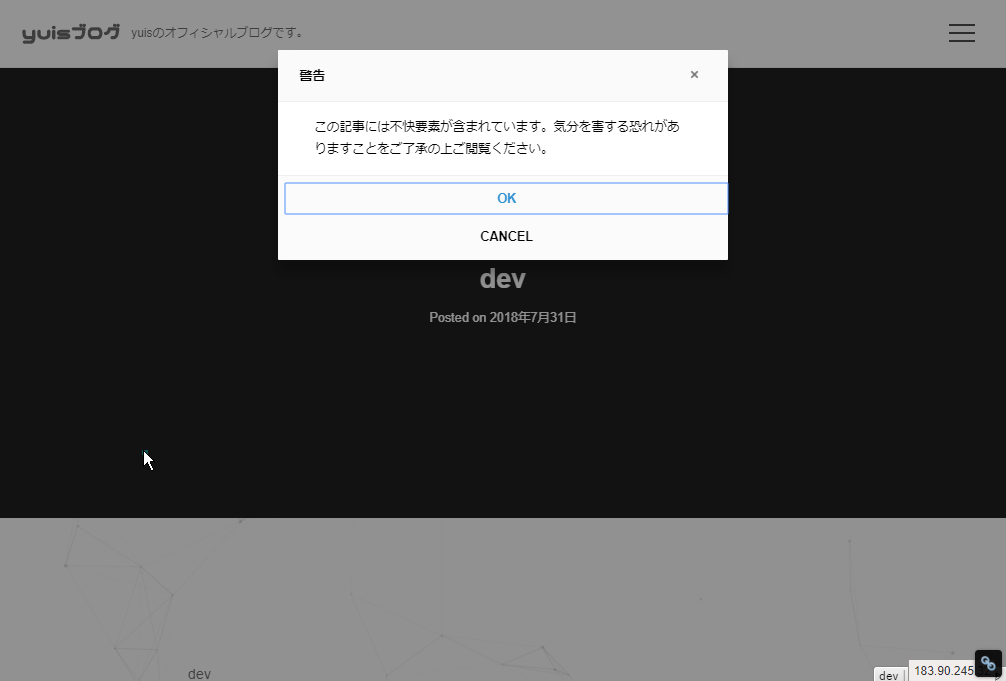
What it does: For posts in the black category, if the Cookie "_yuisBlackSessionHistory" is not defined, it embeds JavaScript to define _yuisBlackSessionHistory. This allows some action to be taken only on the first access. As that action, it displays a popup, lets the user choose yes/no, and if yes, continues. If no, it returns to the previous page.
Now, regarding the crucial part of how it actually behaves, I thought alert() might be fine, but no, that doesn't work. It gets blocked by popup blockers. It's useless. So, I use a JavaScript library called alertify.
With alertify, you can easily branch the operations you want to execute when yes/no is selected.
alertify library. Add to header.
<script src="//cdn.jsdelivr.net/npm/alertifyjs@1.11.1/build/alertify.min.js"></script>
<link rel="stylesheet" href="//cdn.jsdelivr.net/npm/alertifyjs@1.11.1/build/css/alertify.min.css"/>
<link rel="stylesheet" href="//cdn.jsdelivr.net/npm/alertifyjs@1.11.1/build/css/themes/default.min.css"/>