I wrote software/extension to automatically save Google search keyword history to local storage, so I’ll share a JavaScript script that can be used as a tampermonkey userscript.
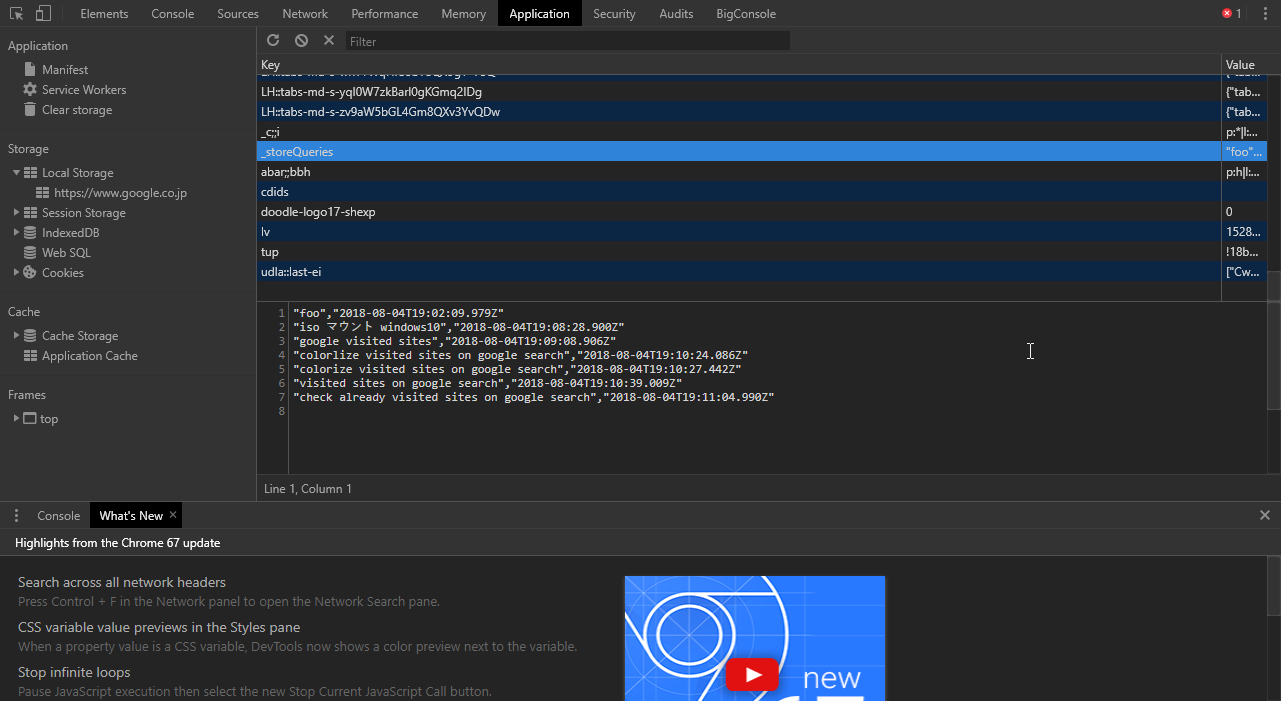
I wrote it. Local storage is convenient. I recently discovered something called indexd DB and I’m interested in that too.
// ==UserScript==
// @name         store google search queries
// @namespace    http://tampermonkey.net/
// @version      0.1
// @description  try to take over the world!
// @author       tmp
// @match        https://www.google.co.jp/search?*
// @grant        none
// ==/UserScript==

if (localStorage.getItem('_storeQueries') == null) {
    localStorage.setItem('_storeQueries' , '') ;
}

localStorage.setItem('_storeQueries', localStorage.getItem('_storeQueries') + '"' + document.querySelector('#lst-ib').value + '"' + ',' + '"' + new Date().toISOString() + '"' + "\n" ) ;
This script is written on the premise of the tampermonkey userscript feature that it runs every time the site is updated (= every time you access it).
To check local storage, open the developer tools with the F12 key and view Application > localStorage > _storeQueries.