In the Vim command-line text editor, beloved by many programmers for years, the vim-auto-save plugin is convenient for automatically saving files after every keystroke or every few milliseconds without manually saving (:w).
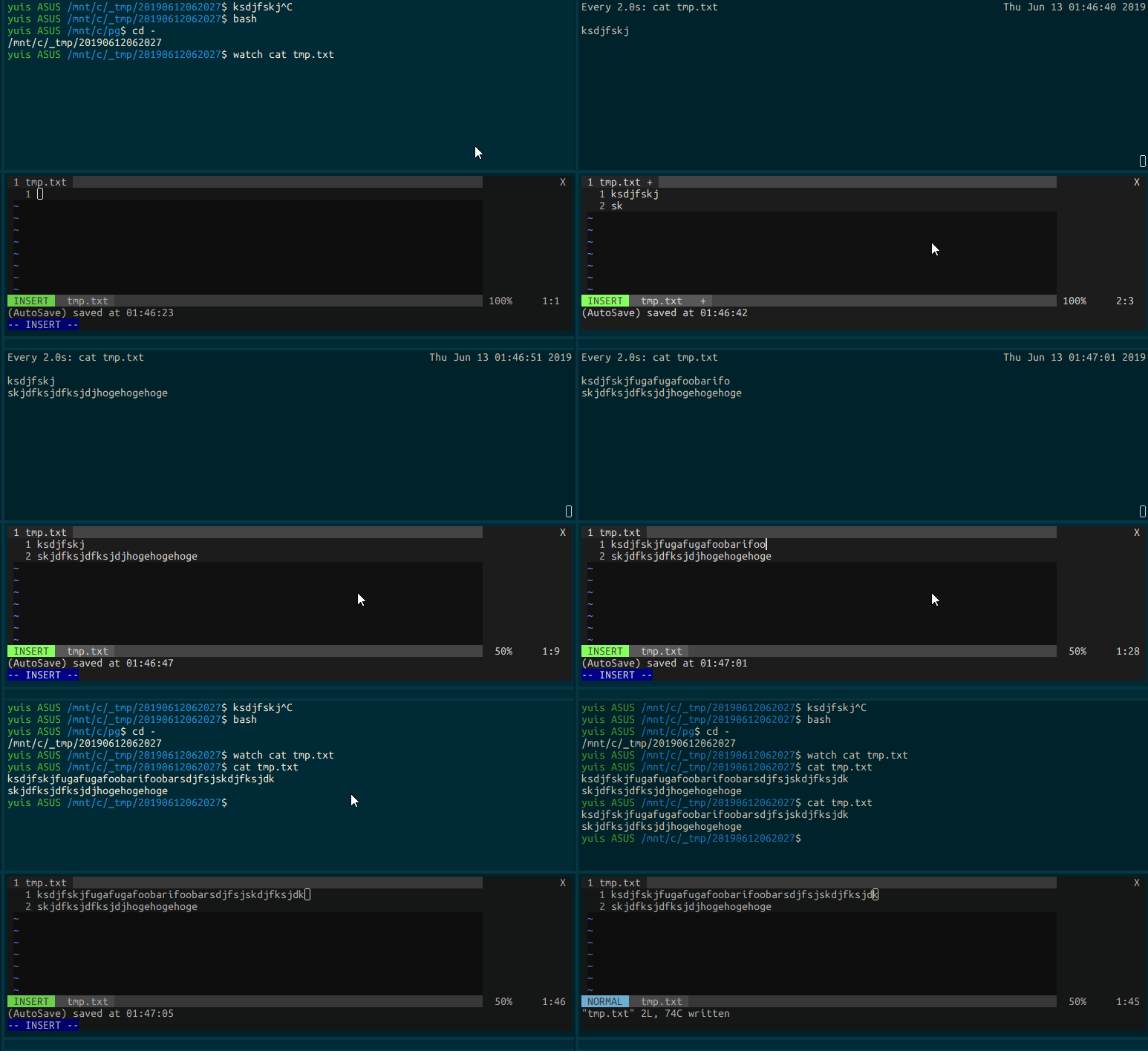
I wanted a way to edit files directly, or live edit, where files are automatically saved after each character typed or every few milliseconds without having to manually save. It was my first time installing a vim plugin, so it took a bit of effort, but the usage is very simple.
Installation (The Ultimate vimrc)
I use The Ultimate vimrc, which creates a beginner-friendly vim environment with many useful features mixed together.
amix/vimrc: The ultimate Vim configuration: vimrc
The most popular vim plugin managers are Vundle, vim-plug, and pathogen in that order, but The Ultimate vimrc seems to only support pathogen.
tpope/vim-pathogen: pathogen.vim: manage your runtimepath GitHub - amix/vimrc: The ultimate Vim configuration: vimrc
So, to install vim-auto-save with pathogen in The Ultimate vimrc, use the following command:
git clone https://github.com/907th/vim-auto-save ~/.vim_runtime/my_plugins/vim-auto-savevim-auto-save - Vim Awesome 907th/vim-auto-save: Automatically save changes to disk in Vim
Installation (Other than The Ultimate vimrc)
Usage
By default, it applies only when leaving insert mode and when text changes as a result of running a command in normal mode.
Using InsertLeave and TextChanged only, the default, will save on every change in normal mode and every time you leave insert mode.
let g:auto_save_events = ["InsertLeave", "TextChanged"]You can see references for all events with :h autocommand-events. I went through all of them. Vim is amazing.
Here are the events that seem useful:
TextChangedI … Fires when text changes in insert mode CursorHoldI … Fires every few milliseconds in insert mode CursorMovedI … Fires when cursor moves in insert mode
So, I put the following in my .vimrc:
let g:auto_save_events = ["InsertLeave", "TextChanged", "TextChangedI"]To enable this, run the :AutoSaveToggle command in normal mode to toggle its activation.
The following gif shows actual usage with the above settings.