This article introduces how to build webmail with a custom domain on servers, rental servers, and VPS using RainLoop, enabling the use of custom domain email addresses and configuring Gmail to send and receive.
Here we use Xserver rental server as an example.
Build Steps
Installation
mkdir ~/domain.com/public_html/rainloop
cd  ~/domain.com/public_html/rainloop
curl -sL https://repository.rainloop.net/installer.php | php
Configure from Browser
Access https://domain.com/?admin to go to the admin login screen.
Here, login with admin, 12345.
Settings to enable login with email address and enable receiving/sending
Navigate to ?admin#/domains to configure settings for logging in with email addresses and enabling receiving/sending.
POP/IMAP and SMTP and their port settings. If you want to add a mail server for a domain hosted (DNS configured) on Xserver, refer to the following:
Mail Software Settings | Rental Server [Xserver]
For NAME, enter the domain name such as domain.com.
Change Default Login Password
Access ?admin#/security.
From Admin Panel Access Credentials, change the login name admin and password 12345 to something arbitrary. Be careful because not doing this leaves security wide open.
Configure with Configuration File
I don’t understand configuration file settings well, so I haven’t changed anything except logs.
rmate data/_data_/_default_/configs/application.iniIt might be good to enable logs.
[logs]
; Enable logging
enable = On
Dealing with Security Errors
When accessing ?admin#/general, the following error appeared.
RainLoop data folder is accessible. Please configure your web server to hide the data folder from external access. Read more here: https://www.rainloop.net/docs/installation
Application uses .htaccess for basic protection but it might not work if you're using a web server other than Apache, and even Apache can be configured to disregard .htaccess files.It says that if you're using Apache for other software, .htaccess might not work well.
I don’t know if it will work well, but I tried creating .htaccess.
cat > data/.htaccess
# Deny all access
deny from all
In my case, this made the error disappear.
Tried Logging in with Email Address
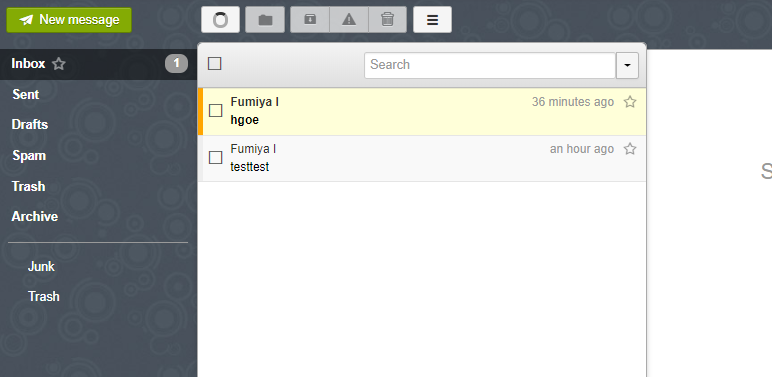
Looks good. Sending and receiving work properly.
When You Can Send but Cannot Receive
I can send, but received emails aren’t showing · Issue #946 · RainLoop/rainloop-webmail
I was exactly in this state and wondering what to do, but this was indeed a server issue. Same as this person.
Well, basically, it seems there’s a time difference until emails arrive. It depends on the server, but even the overall high-performance Xserver took several minutes, so I think other servers are probably similar.
The solution would be to wait a while. If it still doesn’t arrive, it’s probably another possibility.
Authentication Failed Error When Logging in with Gmail
Well, I quickly figured this out… For Gmail, you need to configure settings to allow access from less secure apps. There seems to be another method with two-factor authentication, but as far as I’ve researched, there’s no solution other than turning on this setting.
Enable from https://myaccount.google.com/lesssecureapps.
Phenomenon Where Inbox Received Emails Disappear After Several Tens of Minutes
Measures for custom domain emails disappearing [Xserver] [iPhone] - Tanaka’s Blog
Basically, if you have Gmail configured to receive that custom domain email address, forward settings?, the emails on the Xserver side are deleted by specification? apparently.
I also configured that in Gmail a year ago, so I forgot.
So probably, this phenomenon shouldn’t occur with completely new email addresses. If you can’t solve it, ask Xserver support.
For Commercial Use
?admin#/licensing
Purchase / RainLoop Webmail
Apparently it’s 100 dollars per year for non-personal use + commercial use.
License registration: I originally intended commercial use, so I was a bit shocked that the license wasn’t MIT, but about 10 dollars per month… I think the price is actually quite reasonable. If you were charged a million yen for wanting to start a small business, you’d be discouraged.
Summary
It was relatively easy to configure.
Other challenges include how to automate the work of users obtaining email addresses and payment systems, but I’ll write about that in another article later.