A memo on how to create source code demo pages in WordPress.
For new web libraries, whether it’s JS, CSS3, or jQuery, when using such things, you almost always demo them. You create files locally or on a server, view them in a browser while nodding “ah, I see.” I’m lazy so I don’t do it much, but some automate updates with Node.js.
Since I went through the trouble of creating such source code, I thought it would be nice to easily showcase it on my blog, WordPress.
For now, I was just working with prism.js, so I’d like to include that.
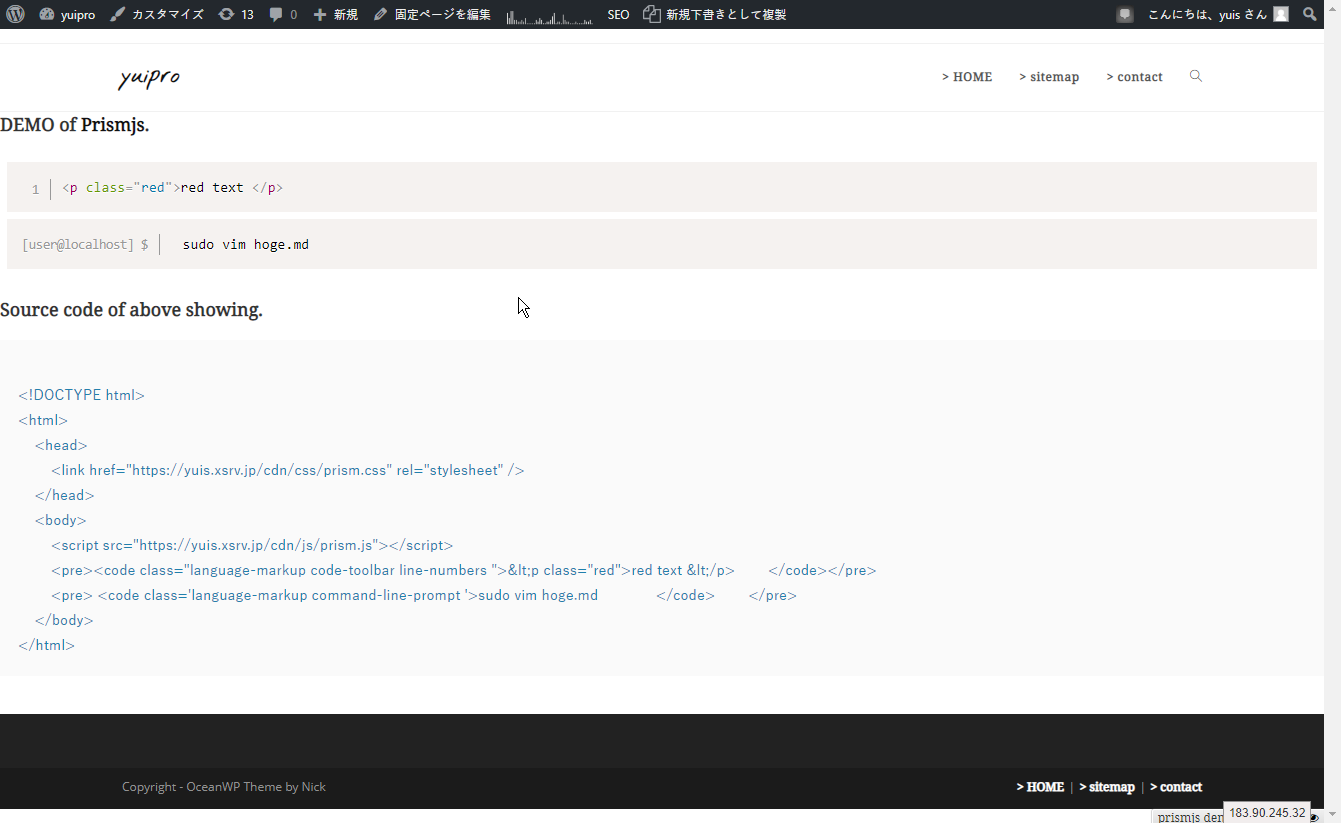
So, for creating it,
First, create a custom page.
Escape the HTML here.
Free Online HTML Escape / Unescape Tool - FreeFormatter.com
Then, post with HTML like this. (I use a plugin that automatically expands Markdown to HTML, so please replace that accordingly)
## DEMO of [Prism](https://prismjs.com/).

<iframe src="https://yuis-programming.com/demo/prismjs.html" width="" height=""></iframe>

## Source code of above showing.
<pre><code>
<!DOCTYPE html>
<html>
    <head>
        <link href="https://yuis.xsrv.jp/cdn/css/prism.css" rel="stylesheet" />
    </head>
    <body>
        <script src="https://yuis.xsrv.jp/cdn/js/prism.js">
        <pre><code><p class="red">red text </p>        </code></pre>
        <pre> <code>sudo vim hoge.md              </code>        </pre>
    </body>
</html>
</code></pre>
<code>
</code><code></code>