Mermaid is a DSL (Domain-Specific Language) that can create diagrams such as explanatory diagrams, system flowcharts, and visualization diagrams from text data. This article explains methods and tutorials for diagram modeling with the Mermaid library, using the JavaScript implementation of Mermaid.
Command-line tools are available, so let’s use them.
mermaidjs/mermaid.cli: Command-line interface for mermaid
cat > mermaid.mmd
graph LR
    A --- B
    B-->C[fa:fa-ban forbidden]
    B-->D(fa:fa-spinner);

npm install mermaid.cli
./node_modules/.bin/mmdc -i mermaid.mmd -o output.png
# or
# ./node_modules/.bin/mmdc -i mermaid.mmd -o output.svg
There also seems to be something called mermaid-live-editor.
mermaidjs/mermaid-live-editor: Edit, preview and share mermaid charts/diagrams.
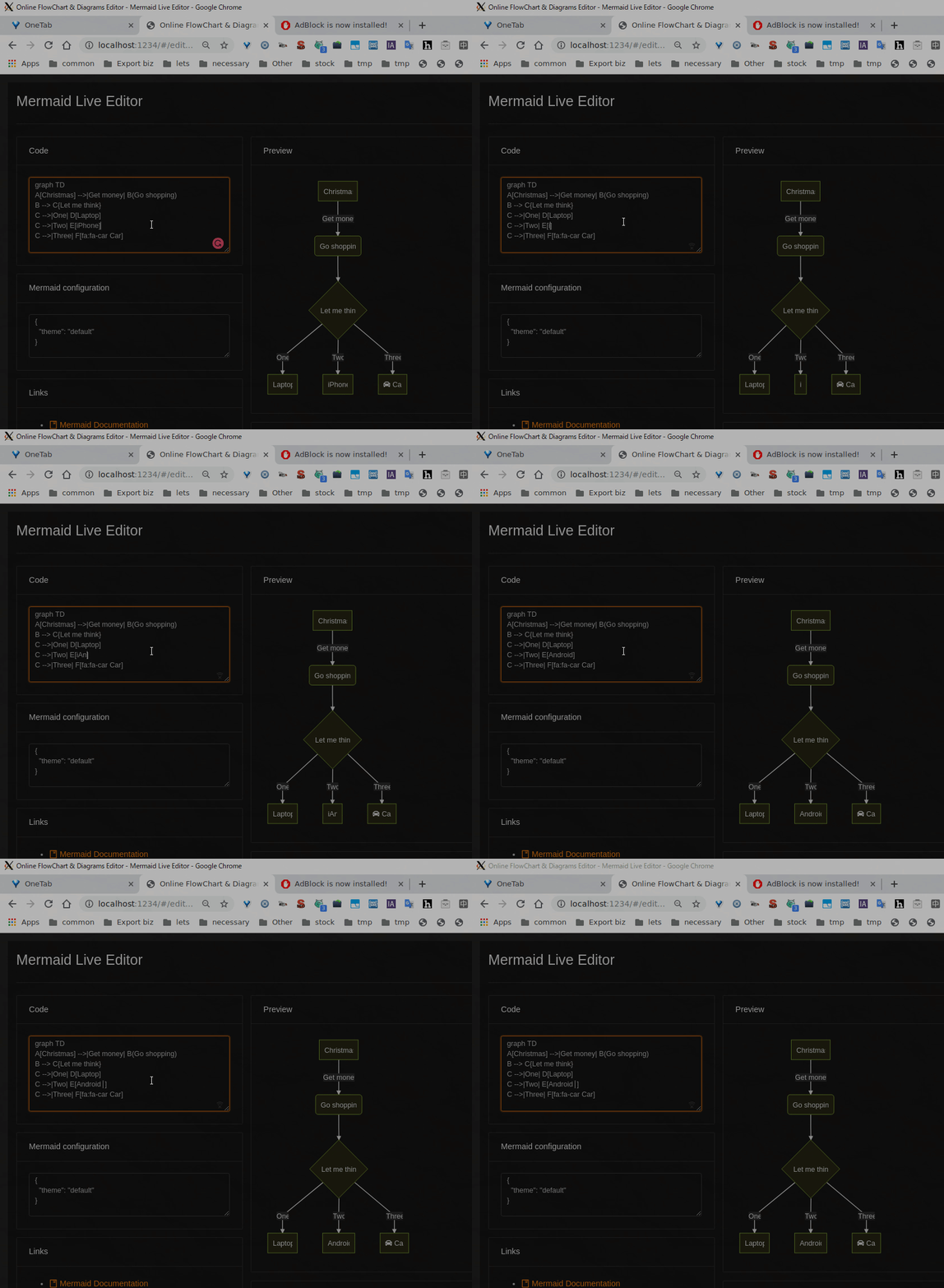
You can install and use it with yarn as follows.
# install yarn
curl -sS https://dl.yarnpkg.com/debian/pubkey.gpg | sudo apt-key add -
echo "deb https://dl.yarnpkg.com/debian/ stable main" | sudo tee /etc/apt/sources.list.d/yarn.list
export PATH="$PATH:$(yarn global bin)"

# install
git clone https://github.com/mermaidjs/mermaid-live-editor.git
cd mermaid-live-editor
yarn install

# start with browser
yarn dev
Since both the CLI and live editor use puppeteer, they won’t work on WSL and similar environments.
Quick Sample
Referring to the default sample code and the following references, I wrote code to draw a flowchart representing the flow of Bash code I’m currently envisioning.
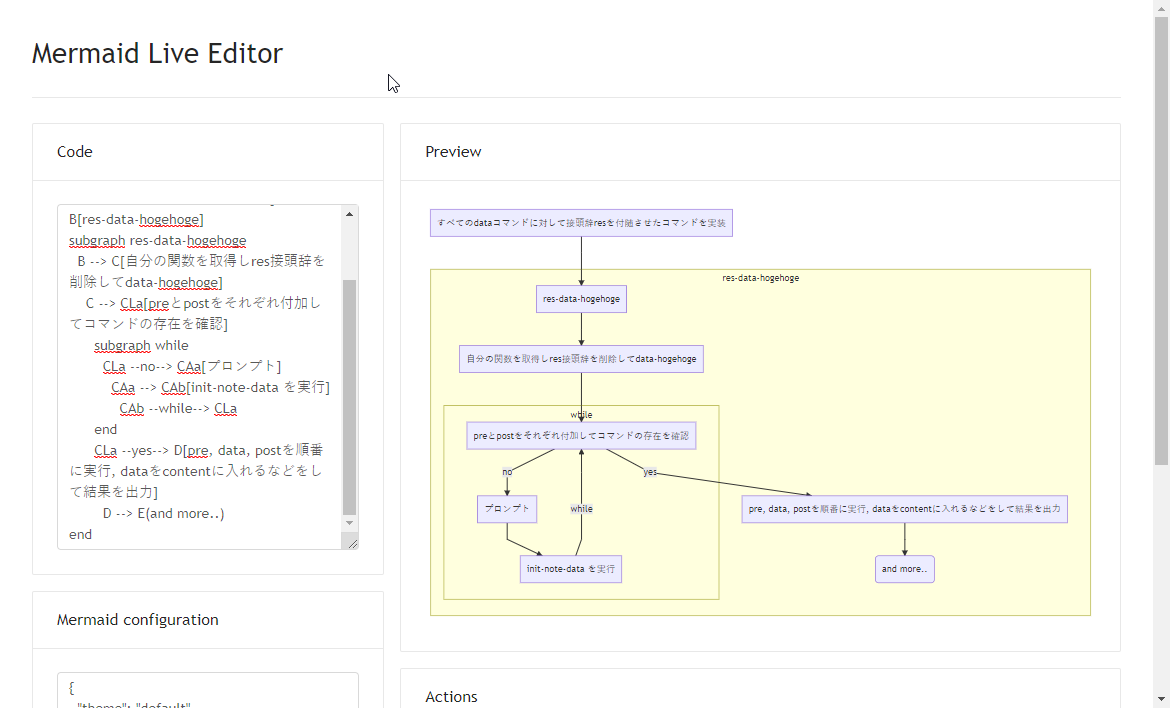
graph TD
A[Implement commands with res prefix attached to all data commands] --> B[res-data-hogehoge]
subgraph res-data-hogehoge
  B --> C[Get own function and remove res prefix to get data-hogehoge]
    C --> CLa[Add pre and post respectively and check if commands exist]
      subgraph while
        CLa --no--> CAa[Prompt]
          CAa --> CAb[Execute init-note-data]
            CAb --while--> CLa
      end
      CLa --yes--> D[Execute pre, data, post in order, put data into content, etc. and output result]
        D --> E(and more..)
end
Since if and while can also be expressed, it seems useful for drawing flowcharts of program code.