In Bash programming language (scripting language) command line on Linux PC/server, this article introduces how to implement a command to output files whose modification date and time are within a specified date/time range.
Below is an example that outputs 10 files in newest modification date order.
find . -type f -printf '%Ts\t%p\n' | sort -n -r | sed -Ee 's/^.*\t//g' | head

./ShareX_ScreenShot_e55d3fd6-ba65-4230-98fe-fcea0dde5142.png
./ShareX_ScreenShot_926e9d7f-6f7e-4146-a656-aae6fcbbfe66.png
./ShareX_ScreenShot_46de4c81-9393-4472-9763-bbad1f4dc4ed.png
./ShareX_ScreenShot_6b0a27fe-9f3b-4429-a377-fd9a0877263c.gif
./ShareX_ScreenShot_2baf49f9-7742-4931-889e-3489db8f675b.png
...
If you want to output only files whose modification date/time is between 4:00 and 6:00 on today, July 7th.
find . -type f -printf '%Ts\t%p\n' | sort -n -r | awk -F '\t' '$1 >= 1562439600 && $1 <= 1562446800{print $0}' | sed -Ee 's/^.*\t//g'This can be done as follows:
find . -type f -printf '%Ts\t%p\n' | sort -n -r | awk -v from="1562439600" -v to="1562446800" -F '\t' '$1 >= from && $1 <= to{print $0}' | sed -Ee 's/^.*\t//g'For practical use, it becomes a format like the following:
find . -type f -printf '%Ts\t%p\n' | sort -n -r | awk -v from="$( date --date "7/7 4:00" +%s )" -v to="$( date --date "7/7 6:00" +%s )" -F '\t' '$1 >= from && $1 <= to{print $0}' | sed -Ee 's/^.*\t//g'When using it as a function, it’s something like this:
getlastsByDate(){

    : getlastsByDate [from] [to] [dir]

    find ${3:-.} -type f -printf '%Ts\t%p\n' | sort -n -r | awk -v from="$( date --date "${1:-0:00}" +%s )" -v to="$( date --date "${2:-23:59}" +%s )" -F '\t' '$1 >= from && $1 <= to{print $0}' | sed -Ee 's/^.*\t//g'

}
Practical Example
For example, a folder with three files from June 28th as shown below, where you want to delete files from June 1st to the end of the month.
yuis ASUS /mnt/c/_tmp/20190627124456$ ls
total 8
166351711236005864 drwxrwxrwx 1 yuis yuis 4096 Jul  7 05:52 ..
285134151409284381 drwxrwxrwx 1 yuis yuis 4096 Jun 28 19:41 .
144959613006035510 -rwxrwxrwx 1 yuis yuis    0 Jun 28 19:41 tmp.html is DszR7hzC5AUm9ZG6OMcmjsT9CpBvwyGm.html.is.tag
118500965195223995 -rwxrwxrwx 1 yuis yuis 3675 Jun 28 19:41 tmp.html
 15762598696119839 -rwxrwxrwx 1 yuis yuis 3675 Jun 28 19:40 DszR7hzC5AUm9ZG6OMcmjsT9CpBvwyGm.html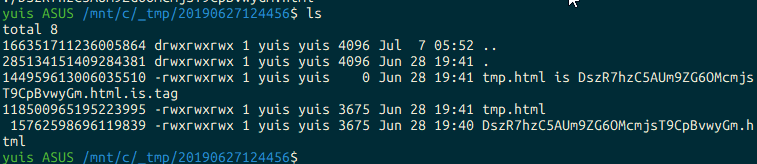
You can get files in the specified period with the following:
yuis ASUS /mnt/c/_tmp/20190627124456$ getlastsByDate 6/1 7/1 .
./tmp.html is DszR7hzC5AUm9ZG6OMcmjsT9CpBvwyGm.html.is.tag
./tmp.html
./DszR7hzC5AUm9ZG6OMcmjsT9CpBvwyGm.html
And delete them.
rm "$( getlastsByDate 6/1 7/1 . )"