This article introduces how to change the keyboard layout and model to Japanese in Ubuntu 18.04 on Linux PCs and servers.
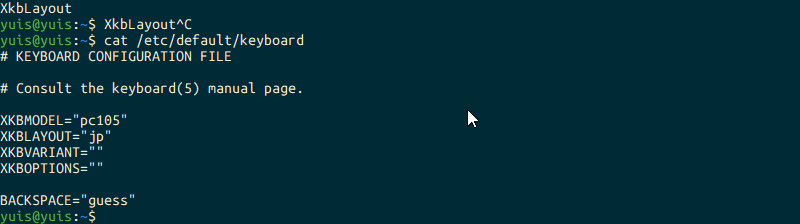
You can see the current settings with cat /etc/default/keyboard.
Edit the file with something like sudo vim /etc/default/keyboard,
# KEYBOARD CONFIGURATION FILE

# Consult the keyboard(5) manual page.

XKBMODEL="pc109"
XKBLAYOUT="jp"
XKBVARIANT=""
XKBOPTIONS=""

BACKSPACE="guess"
By changing it like this, it becomes Japanese.
In my case, pc109 was set to pc105, so even though I was using setxkbmap jp and it wasn’t a US layout, I thought it was strange. @ was changed to 2, ’ to ”, and so on, making it subtly unusable and troublesome.
How to Configure Keyboard on Ubuntu 18.04 Key layout - Wikipedia
I haven’t verified it, but on Ubuntu 16.04, it’s probably sudo dpkg-reconfigure keyboard-configuration.