I’ve started writing paid articles on this blog experimentally. Unlike note.com’s ‘To see the rest’, it’s a structure where parts of the text cannot be read.
For payment methods, I’ve adopted Stripe, a trusted payment service provider, and you can pay with credit cards, Apple pay, Google pay, etc.
<>
Member registration is not required, you can pay and obtain a license code with 2 clicks.
Also,
Below is a trial sample of a paid article:
WindowsのWSL Bashで”chmod”がエラーになる・実行できない
I’ve prepared a license code that can be used for this article. Enter the following license code and it will become viewable.
bc292db4-97c6-469d-83ea-03c77d4c330b
Below I’ll introduce the flow up to purchase with images.
Payment model network diagram:
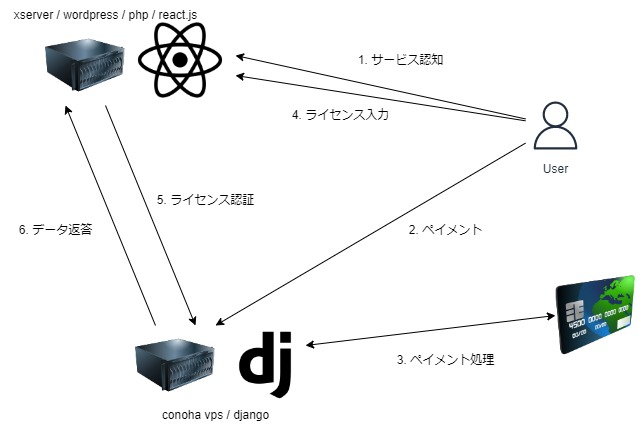
First, users find an article. In paid articles, a license key authentication card is displayed, and for hidden text, the number of characters is counted and displayed like “(n characters)”.

When you click (tap) the “Purchase” link above, you’ll move to a payment confirmation page like the following.

When you press the blue “Proceed” button on the screen, you’ll move to Stripe’s payment page. You can pay with Google Pay, Apple Pay, credit card, etc.

When payment is completed successfully, a license key is immediately issued and displayed on the screen.
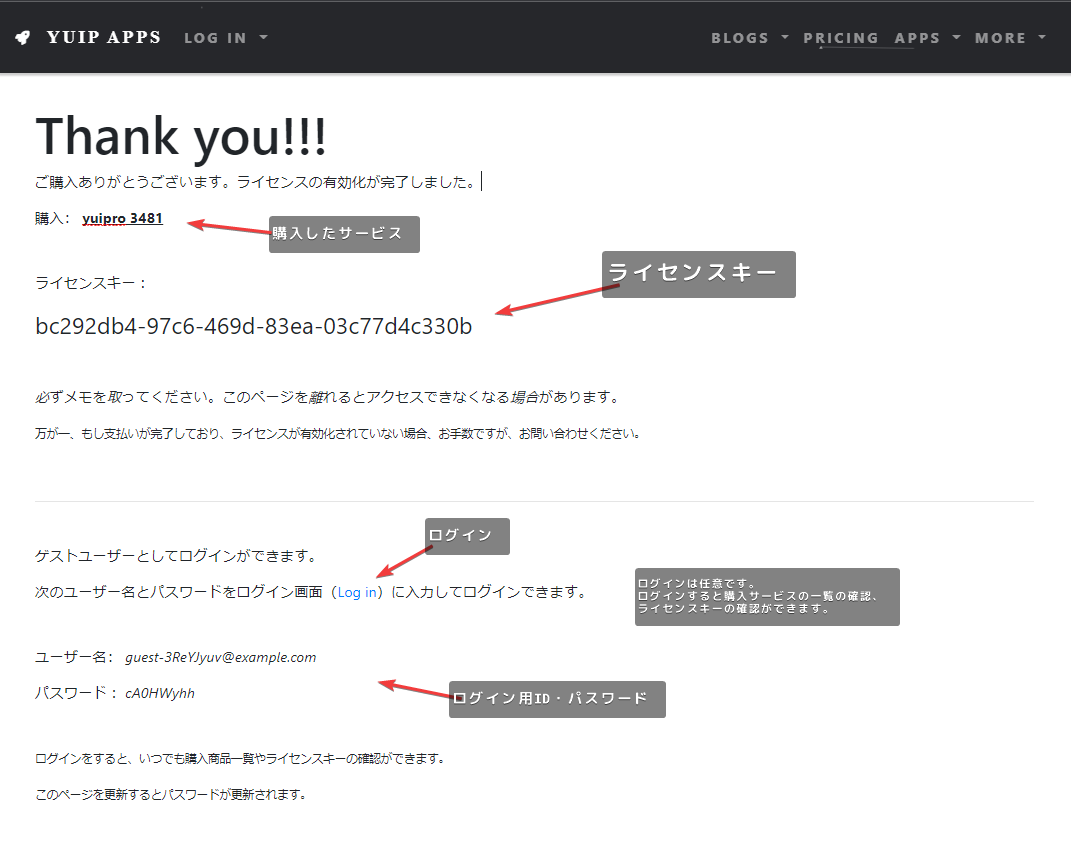
Return to the article, enter the issued license key, and press the yellow “Send” button to submit.

The hidden text is displayed, and you can now see the paid article.