This article introduces Slidev, an open-source software for slide presentations built with Vue.js. Slidev uses Markdown and includes features like drawing, night vision mode, and webcam integration. We’ll cover Slidev’s features, capabilities, installation methods, and usage.

GitHub:
slidevjs/slidev Presentation Slides for Developers (Beta) [slidevjs/slidev: Presentation Slides for Developers (Beta)](https://github.com/slidevjs/slidev)
Installation
Below are the installation instructions for Slidev.
Install Node.js v14
Use chocolatey to install nvm (Node.js version management system). This allows you to install any version of Node.js in later steps.
choco install nvm -y
refreshenv
For an overview of what chocolatey is and how to install it, please see the following.
Installing chocolatey on Windows 11
Use the installed nvm to install Node.js version 14.13.1 with the following command. Having Node.js version v14 or higher is one of Slidev’s required environment specifications. Install Node.js v14 or higher.
nvm install 14.13.1 Confirm that Node.js is installed.
> C:\ProgramData\nvm\v14.13.1\node64.exe -v
v14.13.1
Create and navigate to any directory. Initialize a Node.js project with the npm init command to create a package.json file.
cd C:\pg\node\_win_v14.13.1_dev\
C:\ProgramData\nvm\v14.13.1\npm.cmd init
Install and Run Slidev
According to the GitHub documentation above, rather than installing the Slidev package with npm install, it’s recommended to run the npm init slidev command which automatically handles configuration, file generation, server execution, and opening the localhost address in a browser.
C:\ProgramData\nvm\v14.13.1\npm.cmd npm init slidev

# or

npm init slidev
The output of the above command looks like this:
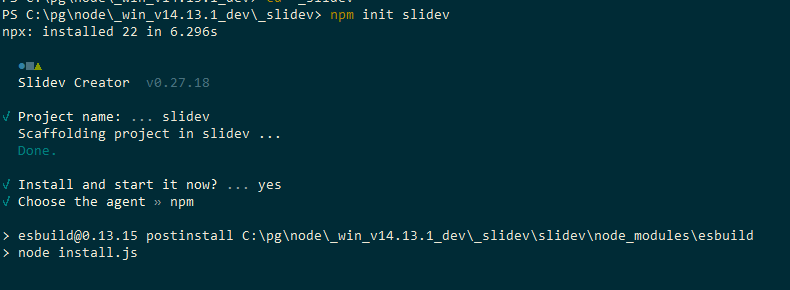
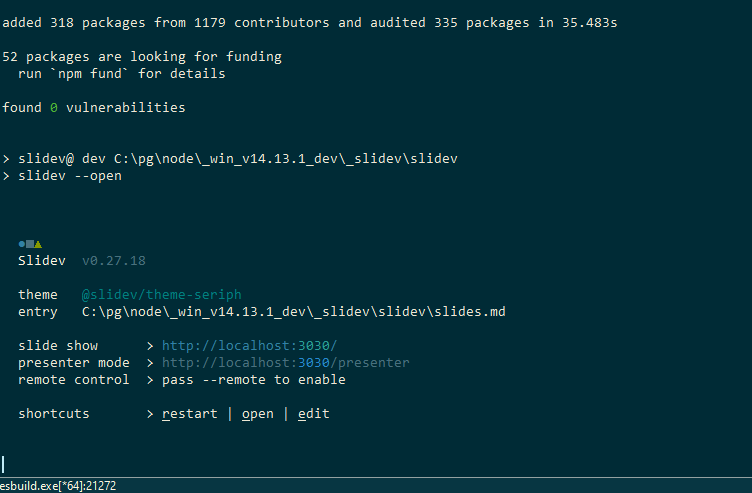
If the command execution and installation complete successfully, files and folders are automatically generated, the server runs, and the address “http://localhost:3030/” should automatically open in the browser as the Slidev interface.
(Generated project file tree)
.
└── slidev
    ├── README.md
    ├── components
    ├── netlify.toml
    ├── node_modules
    ├── package-lock.json
    ├── package.json
    ├── slides.md
    └── vercel.json
As shown in the image above, the main configuration and slide content in Markdown are written by editing the “slides.md” file. When you edit and save the slides.md file, the slides on screen are automatically updated.
Usage & Features
The main features include the following:
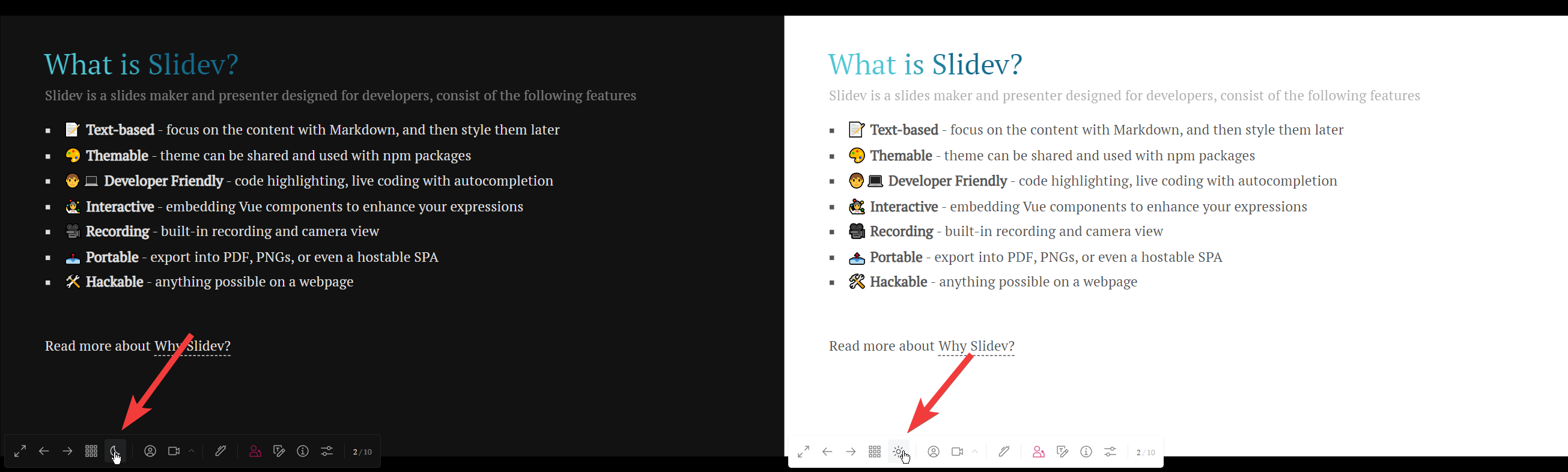
Background black/white toggle (Night Vision Mode):
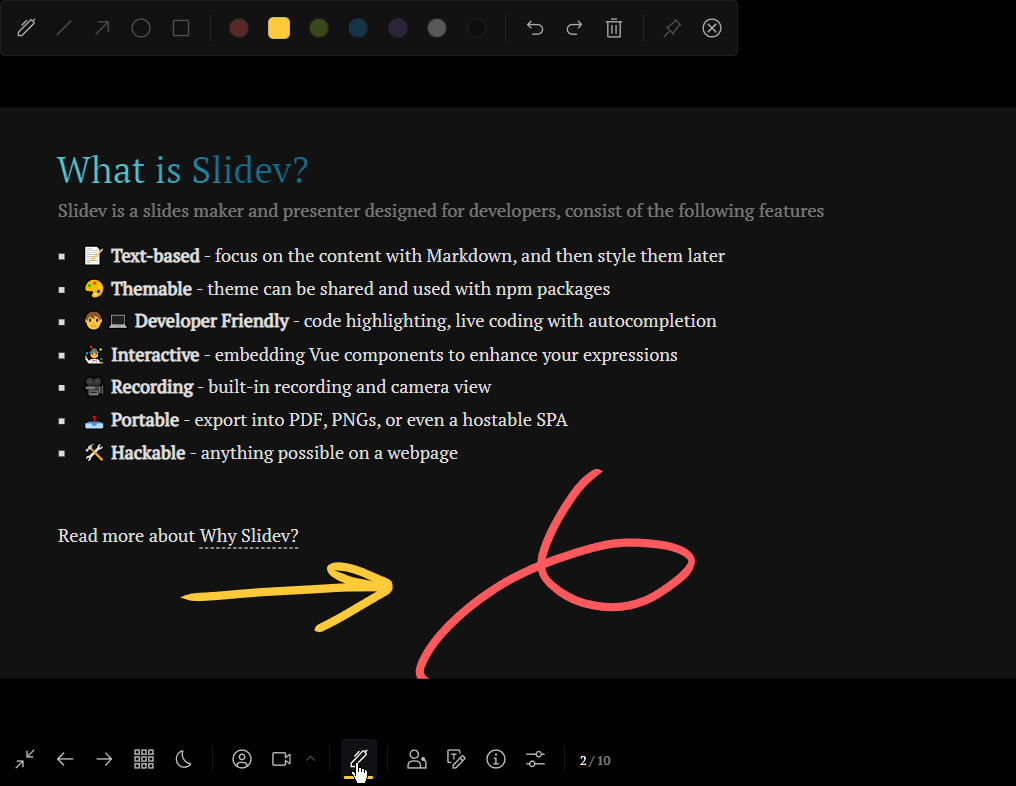
Pen drawing / Drawing:
Webcam addition / Recording:

Summary
This article introduced Slidev, an open-source software for slide presentations. Here’s a summary of the key points.
Slidev is a presentation slide creation tool for developers that allows you to create slides using Markdown. Additionally, many features are provided including drawing, night vision mode, and webcam integration.
The installation steps are as follows:
-
Install Node.js v14: Install Node.js v14 using NVM, a Node.js version management tool. Node.js v14 or higher is required for Slidev to function properly.
-
Install Slidev: Install the Slidev package using the
npm init slidevcommand and automate project configuration and file generation. This generates a Slidev project and allows you to preview slides in the browser.
The Slidev project file structure includes the slides.md file and others. Slide content is created by editing this Markdown file.
Slidev’s main features include night vision mode, pen drawing/drawing, webcam addition and recording, and more. You can use these features to create engaging presentations.
Slidev is a tool designed for developers and technical professionals, making it an excellent option for efficiently creating slide presentations and utilizing rich features.