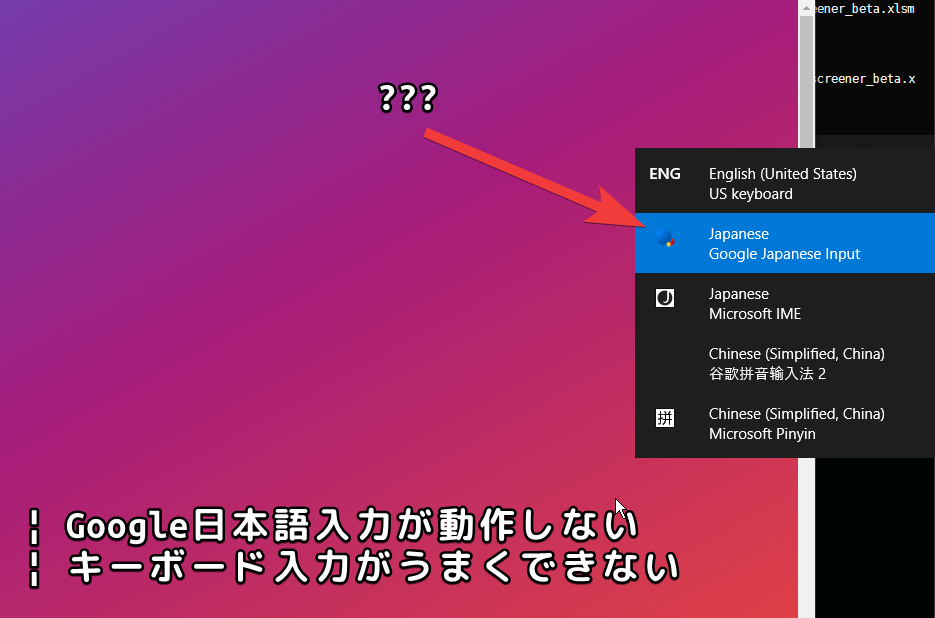
Recently, I encountered a problem where Google Japanese Input IME was not working, switching was not working properly, and keyboard input was not working well. Below, I have summarized the checks and countermeasures for when IME and input tools do not work or do not operate normally in Windows.
I posted a question on Reddit seeking help with this issue. Although I didn’t receive an answer in the end, I was able to find a solution to the problem.
The following is the question content and problem overview.
Since this week, a strange problem has been occurring on my Windows 10 machine.
I can change/switch the input method (IME) as usual with the shortcut key “alt-shift”, for example from the English US keyboard to the Google Japanese input tool keyboard, or vice versa. When I press that hotkey, a list of IMEs appears on the right side of the screen, but the problem is that nothing changes even if I change the IME.
For example, the ` key on a US keyboard is : on the Google Japanese input tool keyboard. However, when I change from a US keyboard to the Google Japanese input tool keyboard and try to enter the ”:” key, ”`” is entered on the screen. In other words, the IME is not actually being switched. I have no idea what’s happening. Similarly, on the Japanese keyboard, for example, the E/J key and kana conversion keys don’t work, and basically the keyboard functions and layout are exactly the same as the US keyboard.
Restarting Windows did not solve the problem.
Addendum: I think I installed some software before this strange bug occurred. My guess is that I was trying to manually compile Synergy, so that might be the cause. Here’s a list of the software I installed (although I uninstalled some after the bug occurred):
Visual Studio Community 2019; Bonjour SDK for Windows v3.0; Windows 10 SDK; Qt 5 SDK 5.15.2; openssl; CMake;
(Partially modified citation: Cannot change input method (IME) from US keyboard : techsupport)
As stated above, the cause is uncertain, but keyboard behavior suddenly became strange, and Japanese input tools like Google Japanese Input stopped working properly at all.
As for the cause, it may have been due to installing various software, or as I found out later, it’s possible that launching Process Monitor (process monitor.exe) was the cause.
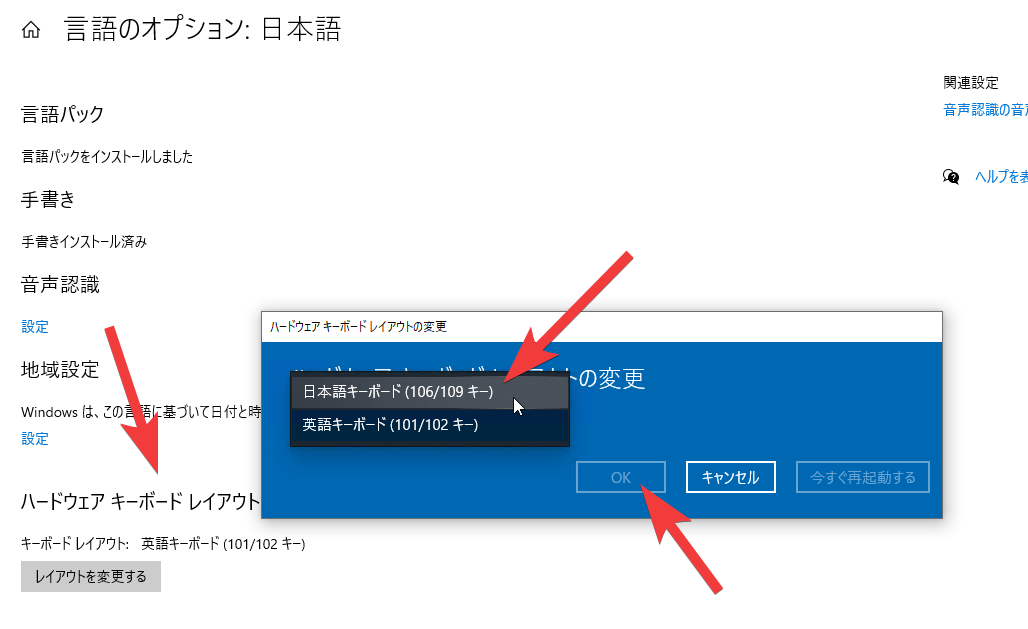
The specific process and cause of the problem are ultimately unclear, but I was able to find a solution to this problem. My guess is that the direct cause of this mysterious problem is likely that the Windows keyboard layout has somehow changed from the Japanese keyboard layout to the English (US) keyboard layout for some reason.
The specific countermeasure is as follows:
After selecting “OK”, restart to apply the changes.
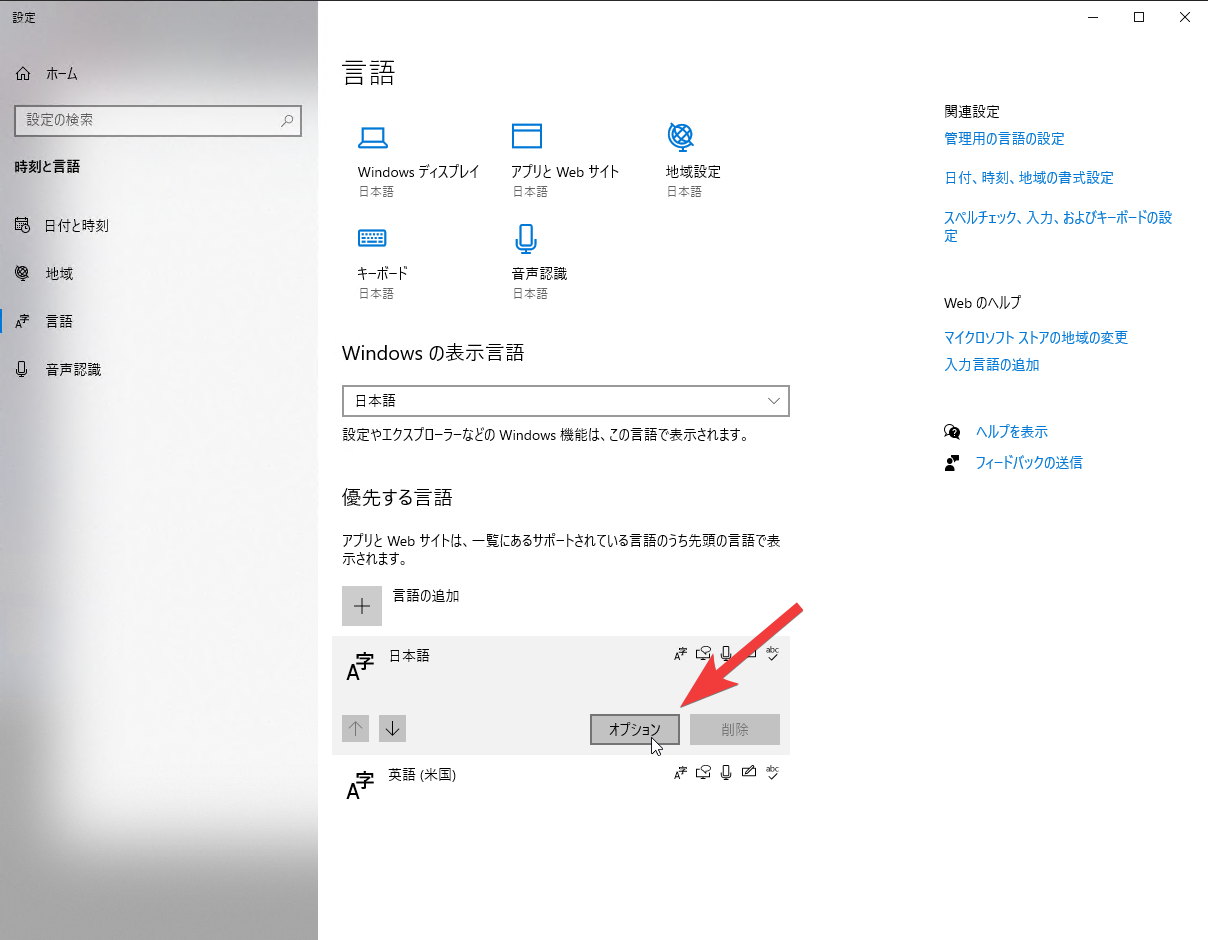
(Opening Japanese options from language settings)
(Changing hardware keyboard layout)